Best Roofing Estimate Software for Contractors
By Adrian Stefan Gebri · Nov 26, 2026

A roofing estimate can start before a rep ever speaks with a lead. The right software depends on whether you need instant online pricing, roof measurements, or a system to manage work after the sale. Here are seven options, starting with Preframe for contractors who want leads to see an estimate and book an appointment online.
1. Preframe
Preframe uses custom website forms called Smartforms to show visitors an instant estimate based on your pricing, qualify the lead, and book an appointment. It’s best for roofing contractors who want to handle the first step online, before a rep spends time chasing basic project details.
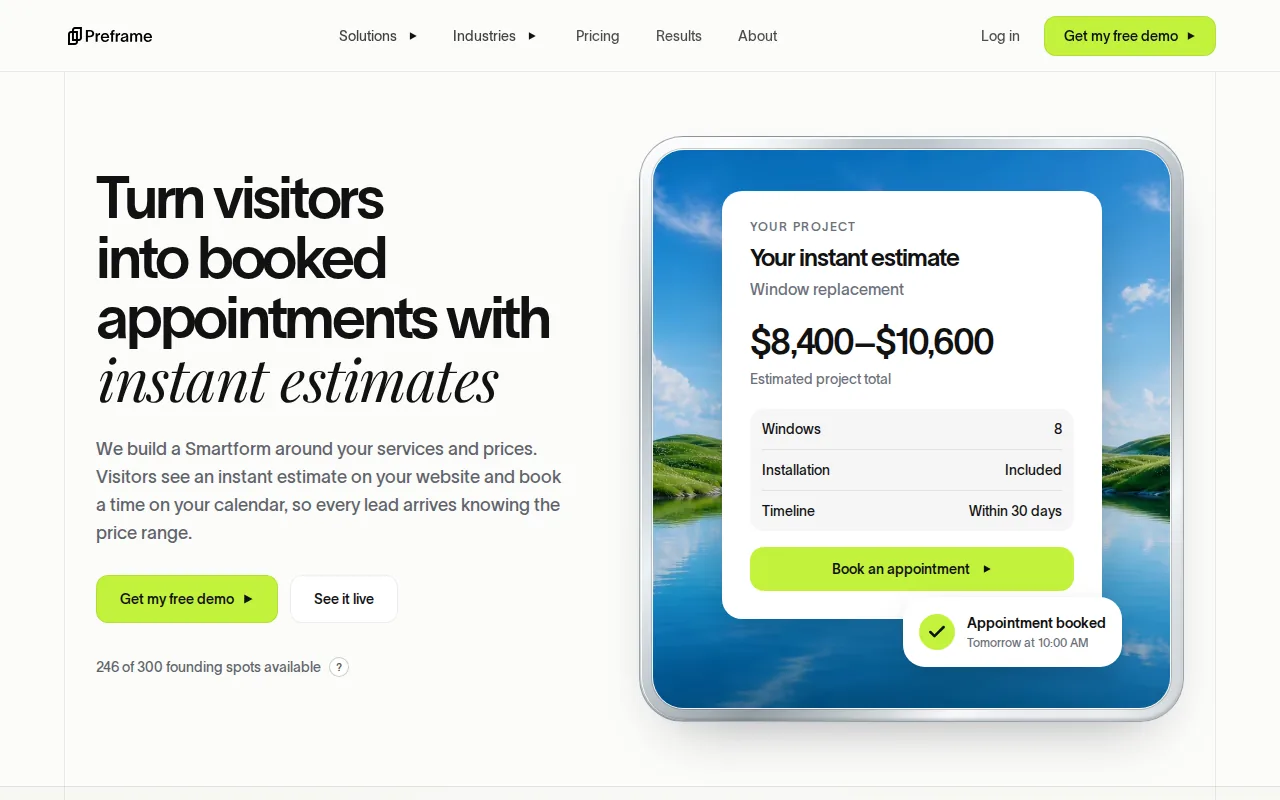
A Smartform can ask about the roof project, show a price range, then let a qualified buyer choose an appointment. Your team can review the lead and the answers in a dashboard. That gives the rep a clearer starting point for the next conversation. The estimate is a starting range, not a final inspection-based quote.
We build the form around your pricing and sales process. A visitor can share project details, see an estimate, and book without waiting for a call back.
Preframe is designed for the first click through booking. It isn’t a roof measurement takeoff tool. Keep your measurement process for checking roof dimensions and final scope, then use the Smartform to give a lead a useful first estimate and a clear next step.
Pricing has two models. Software and Managed Service starts at $499 per month with a $2,500 setup fee, or $4,990 per year with no setup fee. Performance costs $150 to $300 per shown appointment, usually $199, plus ad spend paid directly by you. A shown appointment is one your team attends with a lead from the campaign.
Choose Preframe when the slow part is the gap between a visitor’s first inquiry and a booked sales conversation. Contractors focused only on roof measurements will need a different tool for that job.
2. Clear Estimates: A straightforward option for solo shingle roofers
Clear Estimates is a residential estimating and proposal tool with a ready-made cost database and templates. It’s best for a solo roofer or small contractor who estimates residential shingle replacement jobs and wants a faster way to price familiar work.
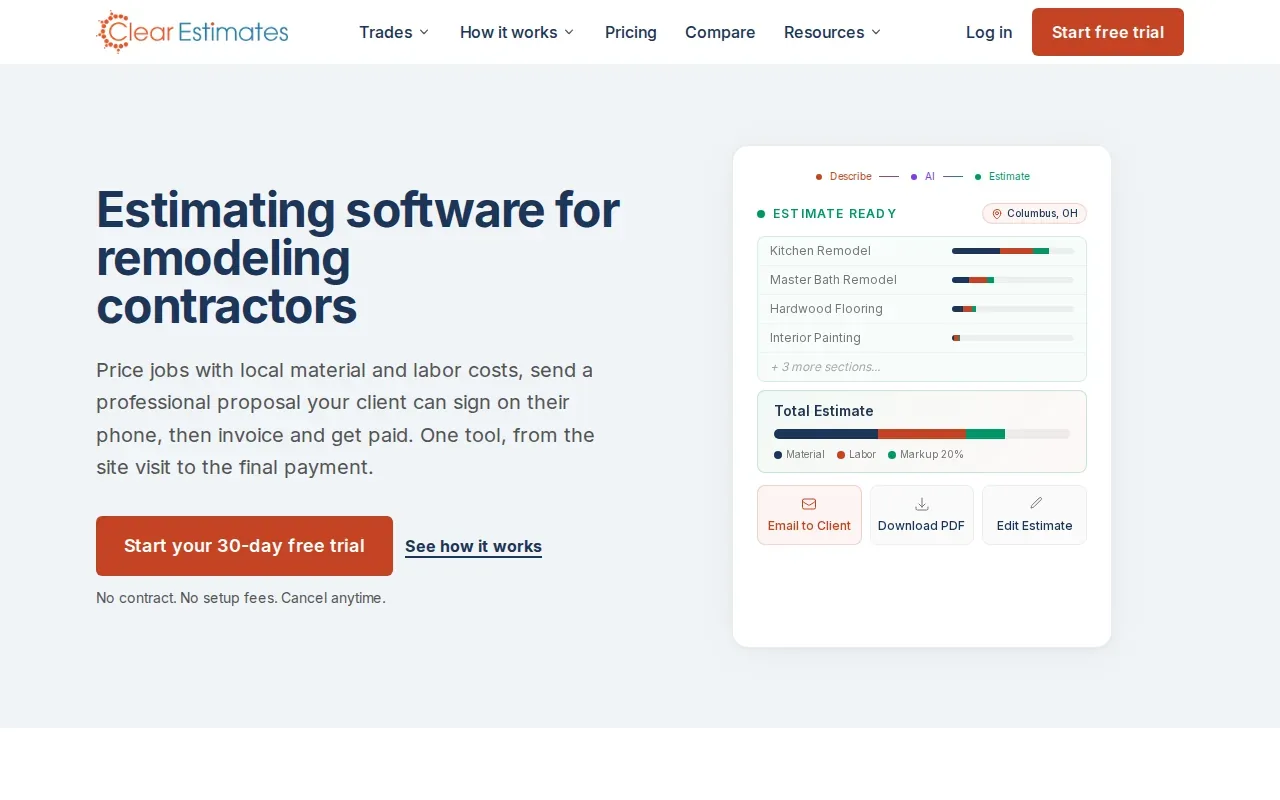
Templates help when the same kinds of jobs come up again and again. Start with a matching job template, adjust the scope and quantities, then build the estimate instead of typing every line from scratch. A cost library with local material and labor prices gives an owner-operator a starting point for common residential work.
Clear Estimates focuses on pricing and proposals. The dimensions still need to come from your measurement process. That division can work well if your bottleneck is assembling a clear price, not getting roof measurements. It also means the estimator should check that the quantities entered match the inspection or measurement report.
The Standard plan is $79 per month, or $59 per month with annual billing. Pro is $99 monthly with annual billing. Pro adds AI image and plan uploads, plus extra users at $9 per month each.
For a small team, the cost library and templates can reduce repeated data entry. Keep a regular review step for unusual roof shapes, extra tear-off layers, or hidden damage. A template is a starting point, not a substitute for checking the job in front of you.
Pick Clear Estimates if you already have a way to measure the roof and want a simple estimating workflow for repeat residential work.
3. AccuLynx: Roofing operations with storm-restoration strengths
AccuLynx is an established residential roofing platform, particularly suited to companies that handle storm restoration. Its customer communication automation and production tracking with crew support can help teams manage work beyond the initial estimate.
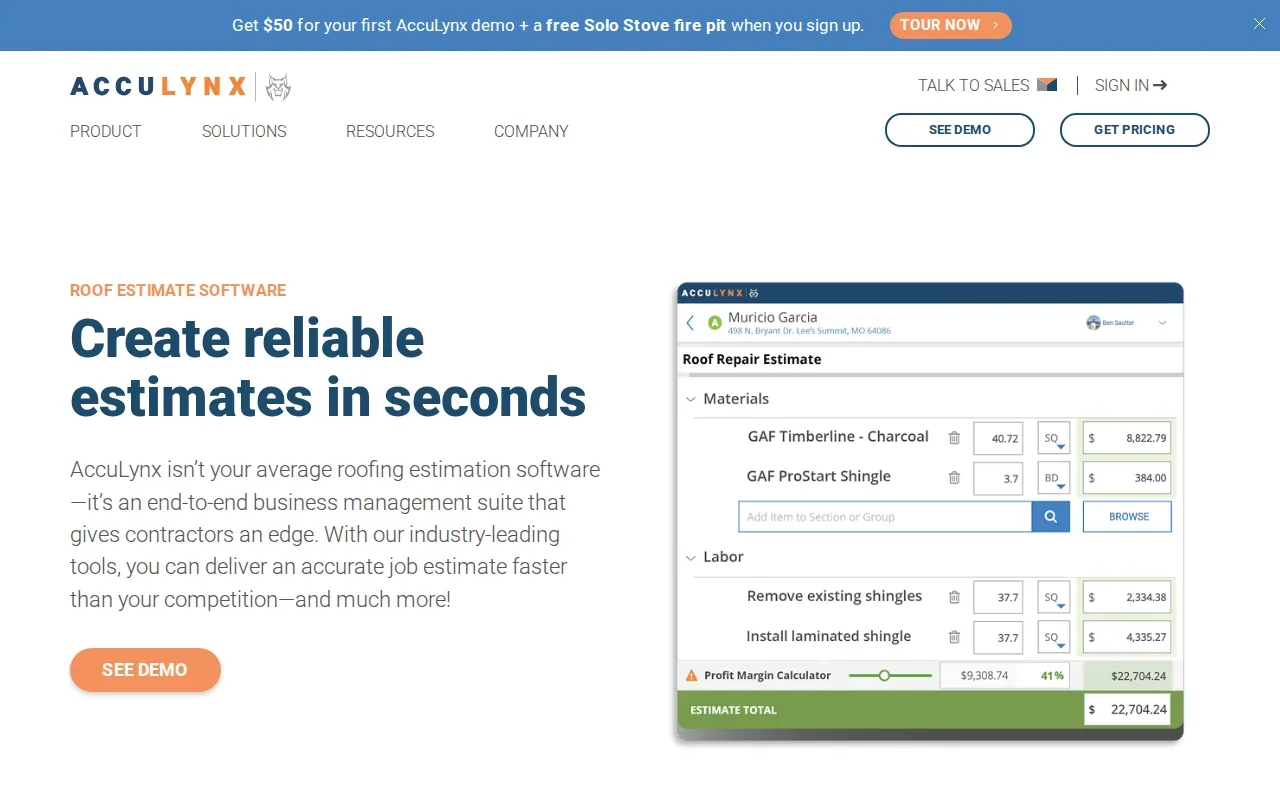
AccuLynx integrates with EagleView, which can matter when a roofing team uses outside measurement inputs. Check the integration against your own setup: confirm which data moves across, whether it needs manual review, and whether any added fees apply.
Ask AccuLynx for details that match your crew size and the workflows you plan to use. For a storm-focused residential shop, the key question is whether the team will use the connected job workflow every day.
Test a real job path during a demo, starting with the lead and ending with production handoff. That will help reveal whether the system fits how your estimators and field staff work.
4. BuildVision AI: AI takeoffs from roofing plan PDFs
BuildVision AI reads roofing plan PDFs to produce takeoff quantities, including roof squares, slope analysis, and material lists. It’s best for contractors who price residential or commercial roofing from plan files and want help measuring quantities before building a bid.
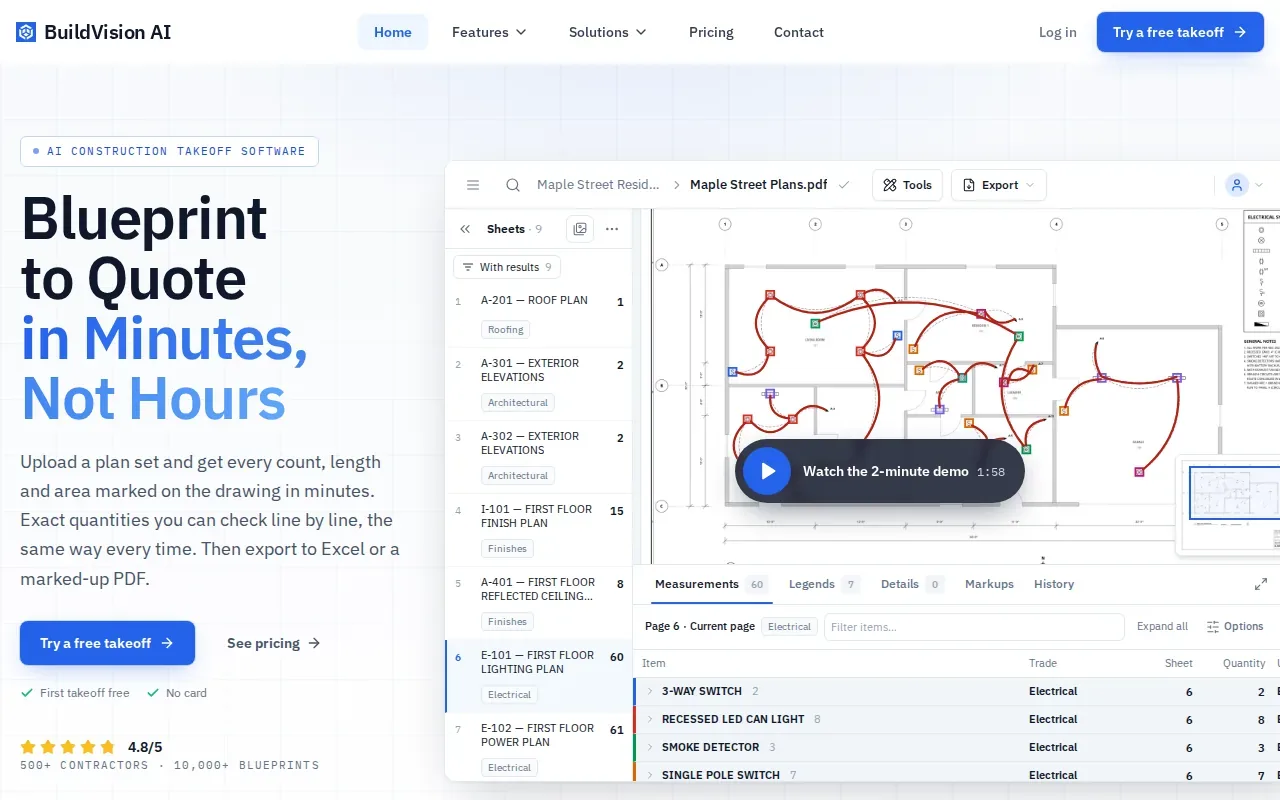
The workflow starts with uploading a PDF plan set. The software calculates roof areas and measurements such as ridges, valleys, hips, and eaves. You can review the rows, correct errors, and add details the AI missed. Then export an Excel takeoff and marked-up PDF to use in your pricing process.
That review step matters. A takeoff gives you measured quantities, but your bid still needs the right labor, material costs, access assumptions, and scope. Check roof planes and edge details before relying on the output. For a replacement job on an existing building, confirm that the plan set reflects the roof you’ll actually work on.
The first takeoff is free with no card required. A short pilot using one completed bid can show whether the takeoff output fits your pricing sheet and review habits.
BuildVision AI is a plan-based takeoff option, not a homeowner-facing booking flow. Choose it when the time-consuming part is reading plan PDFs and preparing measured quantities for an estimate.
5. Arrivy: Connect estimates with field operations
Arrivy connects estimating with day-to-day field work, including inspections, routing, and customer communication. It’s best for roofing companies that want inspection details to move into the next office task without being copied by hand.
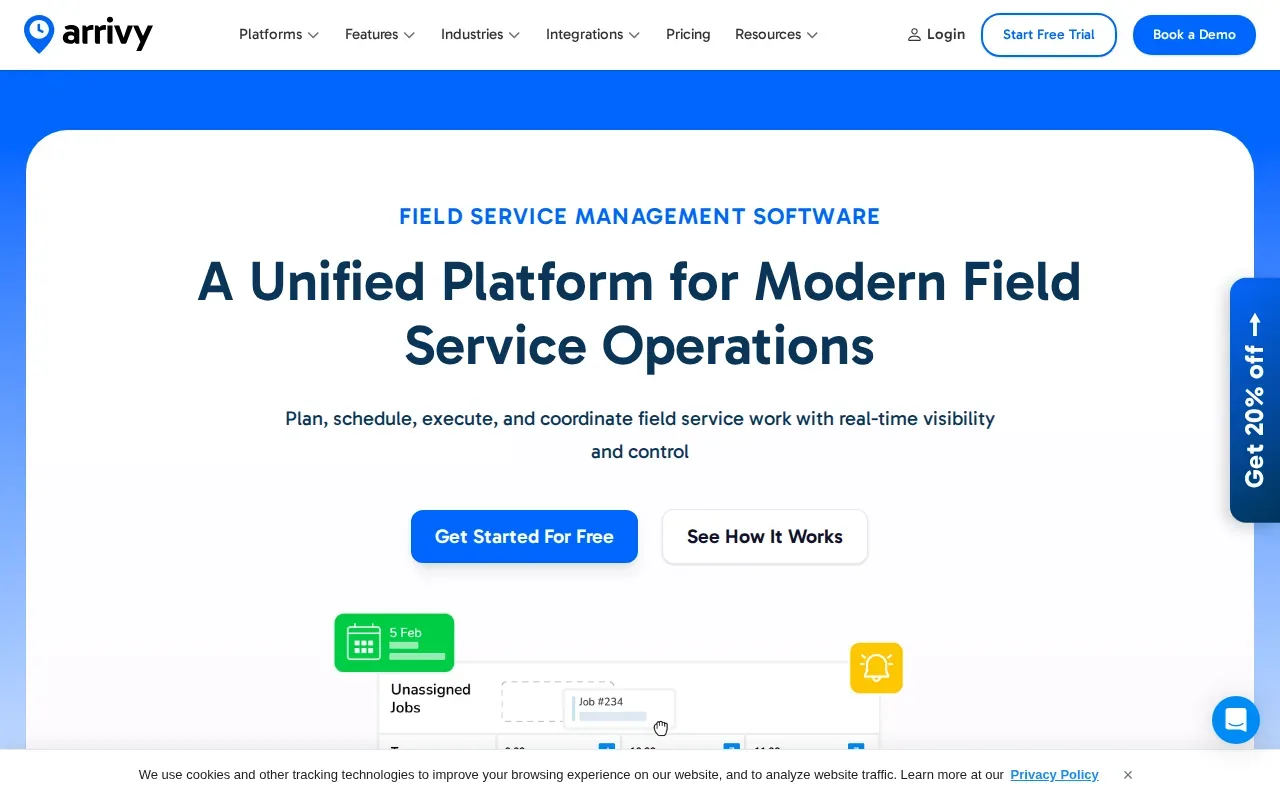
Its survey-to-estimate workflow can automate steps between a field survey and an estimate. Arrivy also supports customer notifications and live ETAs. For a crew headed to an inspection, an ETA update can keep the homeowner informed while the office sees where the visit stands.
Field teams can capture inspection details in digital forms, including photos and notes. The information can then feed a follow-up estimate task. A roofing manager can set a status requirement so a job doesn’t advance before required survey information is in place. This can reduce repeat typing, but only if the team agrees on which fields and checks matter.
Mobile use can be useful on a roof inspection, where a technician may need to record photos and notes at the property. Before rollout, test the form on the devices your crew carries and decide how the office will review submitted data. A form that asks too much can slow a site visit; one that asks too little may leave the estimator with gaps.
Arrivy makes most sense when the problem is a broken handoff from inspection to estimate and field follow-up, rather than roof measurement itself.
6. Buildertrend: Project and budget management for roofing crews
Buildertrend is construction project management software for contractors who need to manage jobs, budgets, and clients. It’s best for roofing crews of three to ten people doing residential work along with light commercial projects.
For a roofing team, the advantage is having project information and budget work within a broader construction management system. A manager can use the system to keep an eye on active jobs after the estimate has been accepted. That is a different focus from a tool built mainly to calculate roof quantities or show an instant price to a website visitor.
Buildertrend prices its plans by tier and company revenue. Confirm the current plan, team limits, and included features before you commit, then compare the cost with the work your team will actually move into the system. A demo should use a typical roof job, not a generic sample project.
Buildertrend can suit a contractor who has outgrown a quote-only process and wants a wider place to manage budgets and clients. It may be more than a solo roofer needs if the main task is producing a straightforward estimate. Make the decision based on the jobs and handoffs you want the software to cover.
For a crew with multiple active projects, check how estimates connect to the next stage of work. Ask who updates the job record, what the client sees, and how the team handles a scope change. Those details tell you more than a feature list alone.
7. Projul: Construction management for roofing contractors
Projul is construction management software for general contractors and roofing businesses. It’s best for a roofer who wants estimates to sit within a wider workflow for jobs, scheduling, and project records.
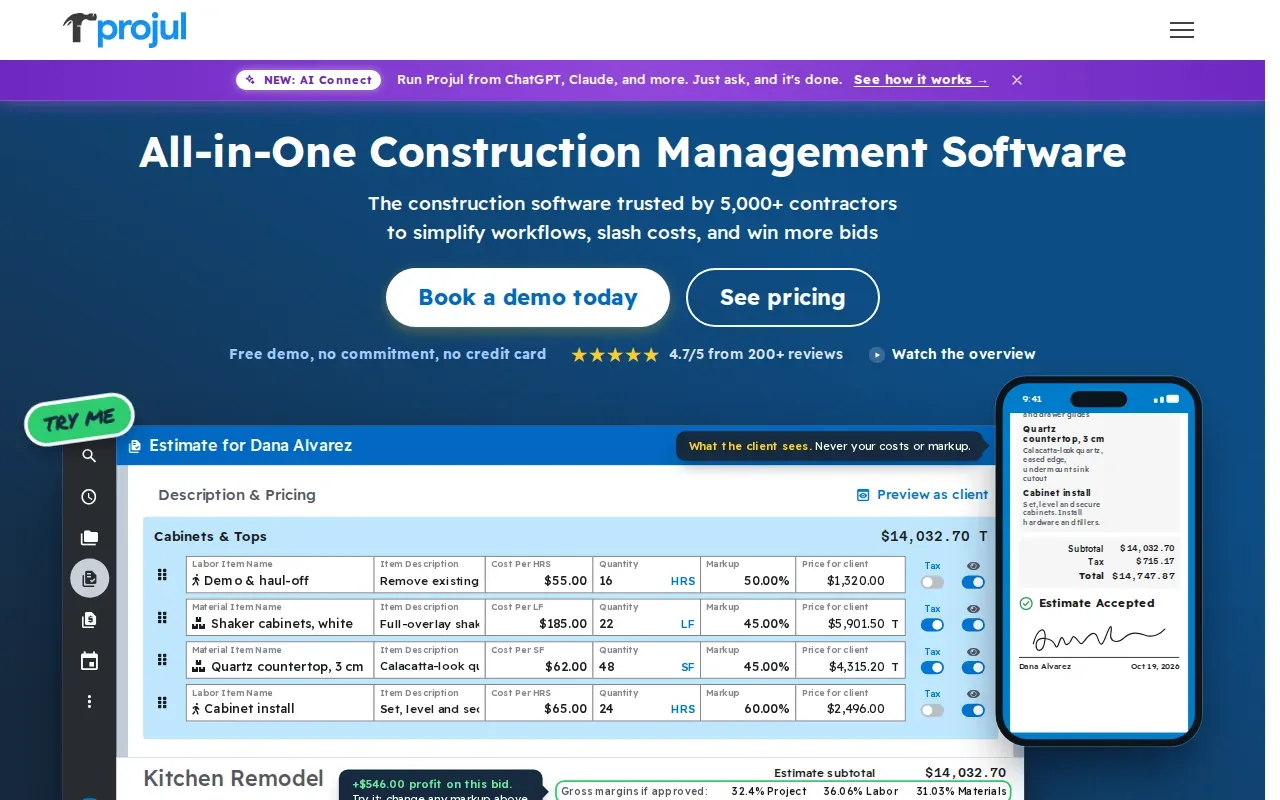
Templates can help teams build repeat estimates for similar work. Rather than starting with a blank sheet each time, an estimator can use a saved structure and adjust the scope and quantities. That can make estimates more consistent across a team, provided someone keeps the template aligned with current pricing and job practices.
Projul plans start at $199 per month billed annually, or $249 billed monthly, and a trial or demo is available by request. As a broader construction tool, roofers should check how its estimate workflow fits their own measurement process. A demo should include a standard replacement job, not only a general project overview.
Projul may suit a roofing contractor who wants construction management rather than a roof-only estimator. Before choosing, ask how estimates move into scheduled work and which project details remain attached after the sale. Those are the handoffs that determine whether a broader system helps the office.
One useful test is to enter a familiar job with a known scope. Compare the steps with your current method, then see whether the resulting estimate is easy for a rep to explain to a homeowner.
Roofing estimate software comparison: which option fits your workflow?
Start with the part of the job that slows your team down most. These options cover different points in the sales and operations path, so a feature checklist alone can hide the best fit.
| Option | Best fit | Main role | Pricing |
|---|---|---|---|
| Preframe | Online lead qualification and booking | Instant estimate and appointment flow | $499/month plus setup, $4,990/year, or performance pricing |
| Clear Estimates | Solo residential shingle roofer | Templates, cost database, and proposals | Standard from $59/month with annual billing |
| AccuLynx | Residential storm restoration | Roofing operations and production tracking | License and feature-based quote |
| BuildVision AI | Plan-based residential or commercial bids | AI-assisted takeoff from PDF plans | First takeoff free; pricing available on request |
| Arrivy | Inspection-to-estimate handoff | Field workflow and customer updates | Premium from $50 per user, minimum 3 users |
| Buildertrend | Roofing crews of three to ten | Project, budget, and client management | Based on plan and company revenue |
| Projul | Roofers seeking broader construction management | Estimates within a job workflow | From $199/month billed annually |
Spreadsheets can work for a small number of bids, but they depend on people copying the right quantities and current rates into the right cells. A missed update can carry into another estimate. Keep a review step if you stay with a sheet, and check whether templates or software can reduce repeated entry.
Measurement tools and estimating tools also solve different problems. Some contractors use a measurement report or a service such as GAF QuickMeasure to get roof dimensions, then price those quantities elsewhere. Xactimate-aligned line items may matter in insurance restoration workflows. Treat these as distinct parts of the process, and check how each item fits with your estimate and claim records.
For a website-to-appointment workflow, appointment scheduling software can help a qualified lead choose a time after seeing an estimate.
FAQ
What is the best roofing estimate software for a small contractor?
The best fit depends on the task you need to fix first. Clear Estimates suits solo residential roofers who want templated estimates and a cost database. Preframe is a fit when you want website visitors to see a starting estimate and book an appointment. If you need measurements from plan PDFs, BuildVision AI is designed for that workflow.
Can roofing software give homeowners an instant quote?
Preframe Smartforms can show visitors an instant estimate based on your pricing, qualify the lead, and book an appointment. Treat the online figure as a starting range, then confirm the roof’s condition, scope, and measurements before you send a final quote. A takeoff tool and an instant lead estimate serve different points in the sales process.
Does roofing estimate software measure a roof?
Some tools focus on measurement, while others focus on pricing or job management. BuildVision AI reads PDF roof plans to produce takeoff quantities. Clear Estimates is an estimating and proposal tool, so the roofer supplies measurements. Check what input each option needs before choosing it for a measurement task.
Can I use spreadsheets for roofing estimates?
Yes, but spreadsheets rely on careful data entry and upkeep. A copied formula or old price can affect a bid, especially when several people use separate files. Templates can make repeat jobs faster, but they still need review. Software may help when you want estimates tied to a lead, inspection, or project record.
How should I compare roofing software demos?
Use one typical roof job in every demo. Follow it from the first lead detail through measurement, estimate review, customer handoff, and the next job stage. Ask which steps need manual entry, which team members use the system, and what the plan costs for your crew. That gives you a fair basis for comparison.
Conclusion
If you want homeowners to see a starting price and book before a rep calls, start with Preframe. If your main need is takeoff, repeat estimates, or job management, test the matching option above with one real workflow. You can review how Preframe Smartforms handle estimates and lead details before deciding whether they fit your roofing sales process.