
Best Instant Estimate Software for Service Businesses
By Adrian Stefan Gebri · Nov 20, 2026

The best instant estimate software should do more than show a number. It should help you qualify a lead and move the buyer toward a useful next step. Here are six options and the type of workflow each one fits. A note up front: we make Preframe, so it is listed first. For each of the other five, we say where it may fit better than we do.
Table of Contents
- Preframe
- Priceguide: For franchise networks and home services
- Clear Estimates: For residential contractor estimating
- SimplyWise: For photo-based estimates and room scanning
- Handoff: For AI-driven instant estimates and proposals
- Contractor+: For estimating within a broader contractor workflow
- Frequently Asked Questions
- Conclusion
1. Preframe
Preframe is booking software for businesses that sell by appointment. Its Smartform asks visitors about a project, shows a price range based on your pricing, qualifies the lead, and lets the buyer book an appointment.
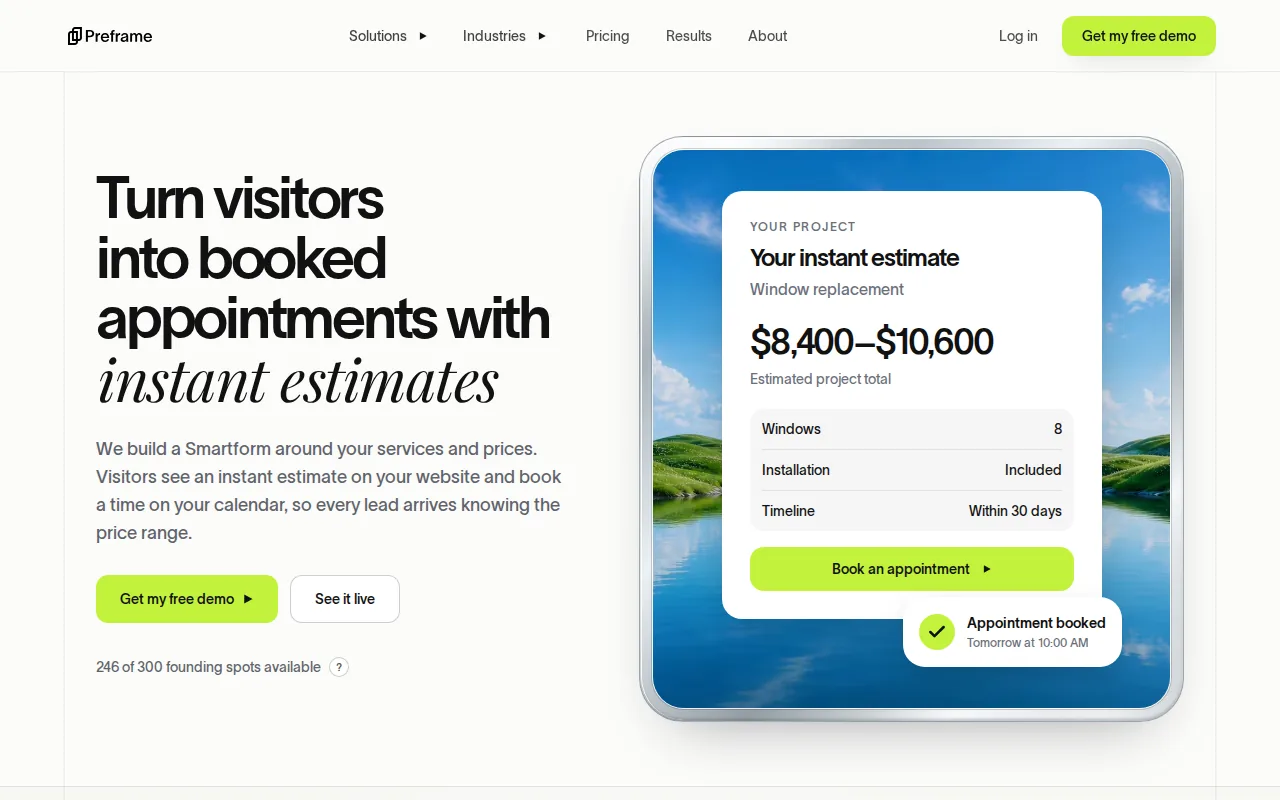
The order matters. A visitor can share project details before a rep follows up, so your team has context for the first conversation. The Smartform can also show an estimate range before the buyer books.
We build the Smartform around your services and pricing. You approve it, then we launch it on your site. A roofing business can ask about the home and roof project before showing a range or offering a time to meet. See how roofing instant estimates and booking can fit that first step.
Visitors compare Good, Better and Best estimates from your pricing, then pick a time. Here is what that did for one account: a residential roofing company in Wisconsin ran Meta ads into a Preframe instant estimate with self-booking for 15 months. $83,016 of ad spend produced 1,476 leads and 583 booked appointments, or $56 per lead and $142 per booked appointment. See the Wisconsin roofing case study for how those numbers were measured.
Pricing is public. Software & Managed Service is $499 a month plus a $2,500 setup fee, or $4,990 a year with no setup fee. See Preframe pricing.
Preframe also tracks prospects through the sales process. Smartforms connect with HighLevel, HubSpot, Zapier, and webhooks, which can help the intake flow fit the tools your team already uses. The free demo lets you see the estimate and booking flow before choosing a setup.
Preframe is a strong fit here when the first online step needs to include both an estimate and booking. If you mainly need detailed job costing after a site visit, one of the contractor-focused tools below may fit that part of the work better.
Key Takeaway: Preframe connects the first estimate, lead details, and appointment in one Smartform.
2. Priceguide: For franchise networks and home services
Priceguide is an online pricing estimator for franchise networks and home service businesses. It uses a form-based questionnaire to gather information before generating an estimate.

A questionnaire can help standardize what each visitor is asked. That may be useful when a company needs a repeatable intake flow across a franchise network or across several service areas. It gives the business a defined way to collect answers before the estimate is prepared.
Priceguide builds a free working demo for franchise networks, and single businesses get a 14-day free trial. For a franchise operation, the useful test is whether its questions match the services and pricing rules each location needs to capture.
Think through what should happen after the estimate is shown. Does the lead need to book an appointment right away, or should a staff member review the request first? That decision shapes how any estimate tool connects to your sales process.
Priceguide is worth a look when your main need is a guided estimator that works the same way across many locations or service areas.
3. Clear Estimates: For residential contractor estimating
Clear Estimates is built for remodeling contractors who need to prepare detailed job estimates. Its AI Estimator can also turn a plain-language job description into a first draft.
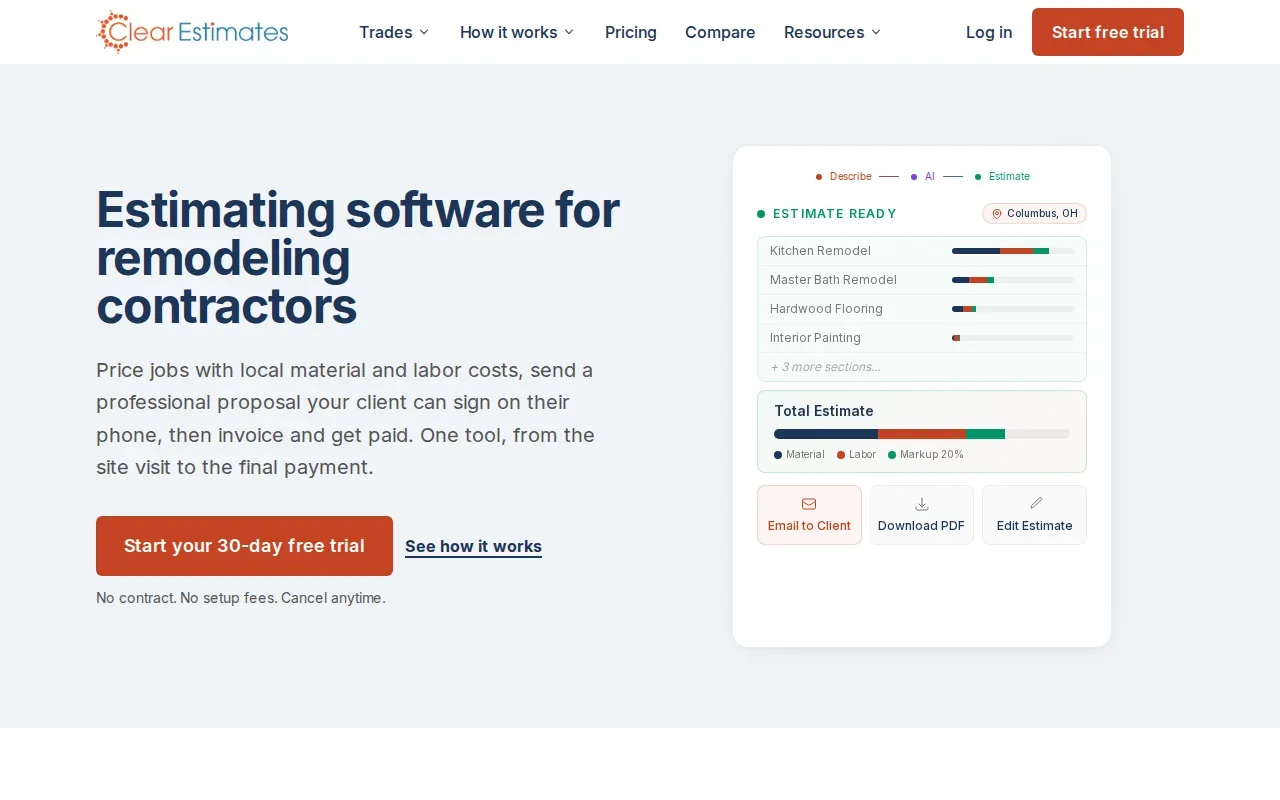
The library and templates are aimed at residential remodeling, specialty trades, and handyman work. You can change prices, add parts, and save templates to match your own numbers.
That review step is important. The AI Estimator creates a starting draft, then you can inspect its parts and prices before sending a proposal. For a remodeler, that means turning a rough scope into an itemized estimate without treating the first draft as a final price.
Clear Estimates also supports client proposals that can be reviewed and signed on a device. After a client signs, an estimate, payment schedule, or change order can become an invoice. Estimates can be exported to QuickBooks Online or QuickBooks Desktop.
New accounts start with a 30-day free trial. Clear Estimates suits remodelers whose main task is building and managing detailed estimates. That is a different job from a website form that shows a visitor a price range and books an appointment before a site visit.
Pro Tip: Review an AI-generated estimate line by line, then adjust it to your own scope, costs, and markup before sending it to a client.
4. SimplyWise: For photo-based estimates and room scanning
SimplyWise is an iPhone app that builds estimates from photos. You can also upload a blueprint, though measurements are entered by hand, and Pro iPhones can scan a room with LiDAR.
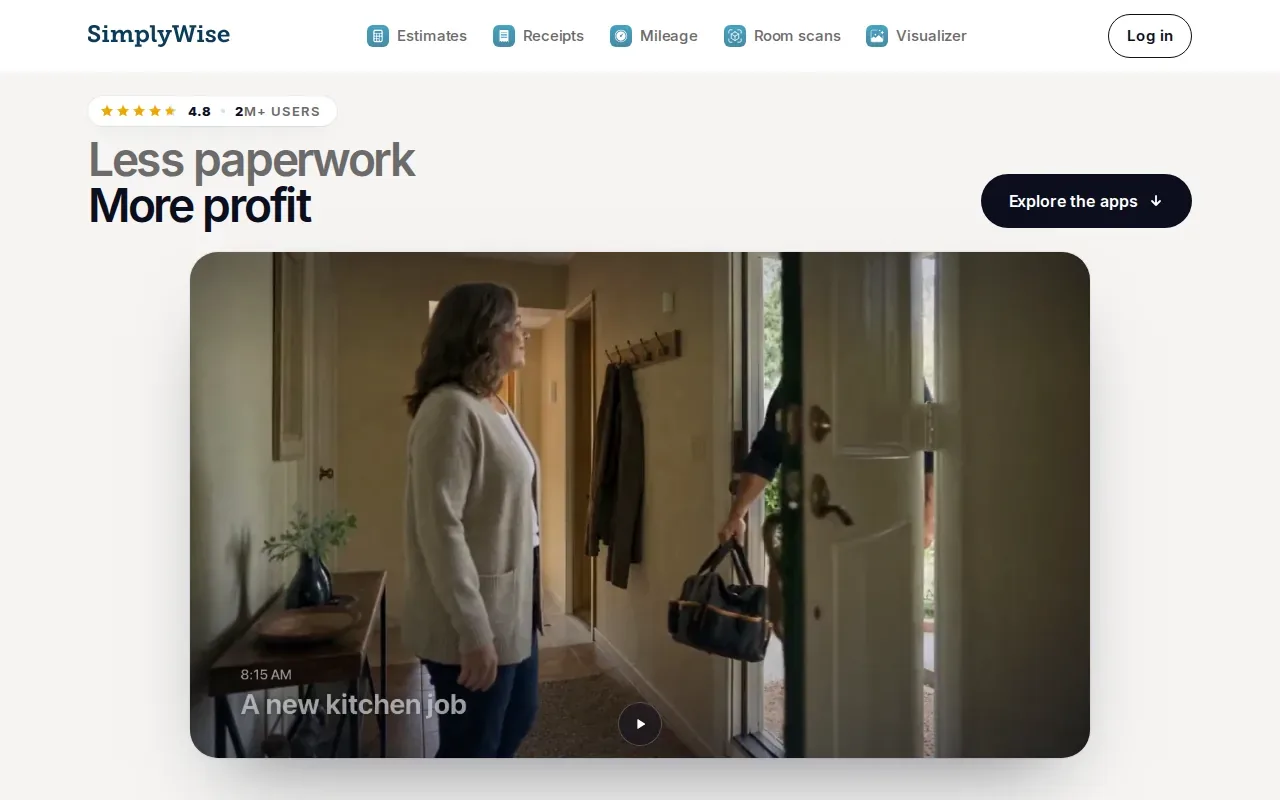
This approach suits jobs where a customer or team member can photograph the space. It is a different input from a questionnaire that asks a visitor to describe the project.
SimplyWise also lets the client approve the estimate by signing a branded quote, so approval stays inside the estimating process.
It has a seven-day free trial, then costs $29.99 a month. Try it with the input your jobs actually use: photos, plans or a room scan.
SimplyWise stands out for its photo, blueprint and LiDAR inputs, with a signed approval step once the estimate is ready.
5. Handoff: For AI-driven instant estimates and proposals
Handoff describes itself as an AI agent for contractors. It produces instant estimates and turns them into project proposals.
The contractor can edit the proposal before sending it.
Handoff also covers milestone invoicing, a CRM and a client portal, and it integrates with QuickBooks Online. That makes it worth considering for a contractor who wants estimates connected to follow-up and billing.
Proposal creation is part of the sales handoff. A buyer needs to understand the scope and respond to the offer. Handoff proposals can include file attachments, digital signatures, and client view tracking. Some proposal options depend on the plan, so check the current plan details against the way you send proposals.
Keep a person in the review loop. An AI draft still needs to match the actual scope, materials and price you intend to quote. Handoff fits best when fast estimate drafting and proposal work are central to your process.
6. Contractor+: For estimating within a broader contractor workflow
Contractor+ combines estimating with a wider contractor workflow: a built-in CRM, job scheduling and dispatch, invoicing, and payments through its own Contractor+ Payments or Stripe, Square and PayPal. The company also offers mobile takeoffs.
That mix can matter when information has to pass between office and field work. A contractor can consider whether it makes sense to manage customer records alongside estimates, then continue into scheduling or invoicing in the same system. Contractor+ runs on desktop and mobile.
Contractor+ has a free plan, limited to 5 estimates or invoices a month, that suits a one-person operation. Paid plans scale up to contractors doing $1 million or more a year. The key question is whether you want a broader day-to-day contractor system or a focused front-end flow that handles instant estimates and appointment booking.
| Option | Estimate input or method | Useful workflow fit |
|---|---|---|
| Preframe | Visitor answers form questions; Smartform shows a price range | Lead qualification and appointment booking |
| Priceguide | Form-based questionnaire | Franchise and home-service pricing intake |
| Clear Estimates | Job description and estimating library | Remodeling estimates and proposals |
| SimplyWise | Photos, blueprints, or LiDAR room scanning | Image-based estimating with client approval |
| Handoff | AI estimate engine | Estimates, proposals, and back-office tasks |
| Contractor+ | Estimating and takeoffs | Estimating within a broader contractor workflow |
Contractor+ is worth a closer look if consolidating contractor tasks is the priority. If the gap is earlier in the journey, focus your comparison on how a tool moves a website lead from project details to an estimate and then to a booked appointment.
Frequently Asked Questions
What is instant estimate software?
Instant estimate software gives a business a way to prepare or show an estimate with less manual back-and-forth. Some tools build estimates from job details, photos, or plans. Others show website visitors a price range after they answer questions. The right type depends on whether you need to qualify and book a new lead or price a defined project.
Can instant estimate software book appointments?
Yes, some tools connect estimates with appointment booking. Preframe Smartforms show an estimate based on your pricing, qualify the lead, and let the visitor book an appointment. Other products in this shortlist focus on estimating, proposals, client approval, or broader contractor tasks. Check the full path from estimate to the next action before choosing.
Which estimate tool is best for residential contractors?
Clear Estimates is built for remodeling contractors who need to prepare detailed job estimates. It includes a cost library and templates, and its AI Estimator can create a first draft from a plain-language job description. Contractors review and adjust the draft before sending a proposal. If booking is the main need, compare that with a website-based estimate tool.
Is there free instant estimate software?
Most of these tools can be tried for free, in different ways. Preframe builds a free demo with your logo and pricing. Priceguide builds a free demo for franchise networks and offers single businesses a 14-day free trial. Clear Estimates has a 30-day free trial and SimplyWise a seven-day one. Contractor+ has a free plan for solo operators, limited to 5 estimates or invoices a month.
What should I look for when comparing estimate tools?
Start with the input your jobs need: a form, job description, photo, blueprint, or takeoff. Then trace what happens after an estimate is ready. Look for the next step your process needs, such as client approval, proposal delivery, invoicing, or appointment booking. A tool should fit the point in your workflow where work is slowing down.
Conclusion
For service businesses that want to qualify website leads, show a price range, and book appointments in one flow, start with Preframe. Next, get a free demo and test the Smartform against one of your real services.